Ready on day one
Ten management reports, built for recruitment.
These aren't generic dashboards. Each report answers a question agency directors actually ask, and every figure clicks through to the records behind it.
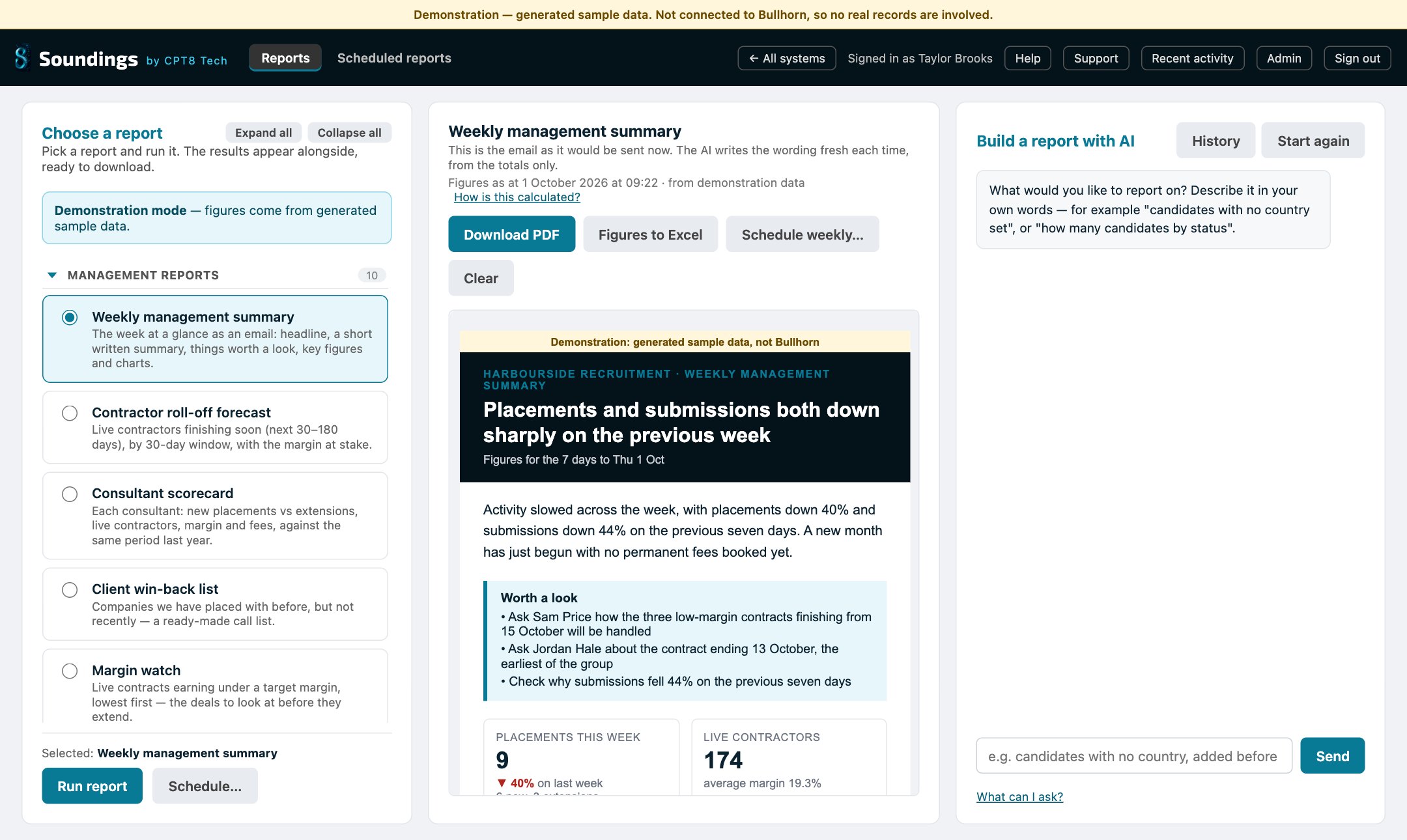
Weekly management summary
The week at a glance as an email: a headline, a short written summary, things worth a look, key figures and charts.
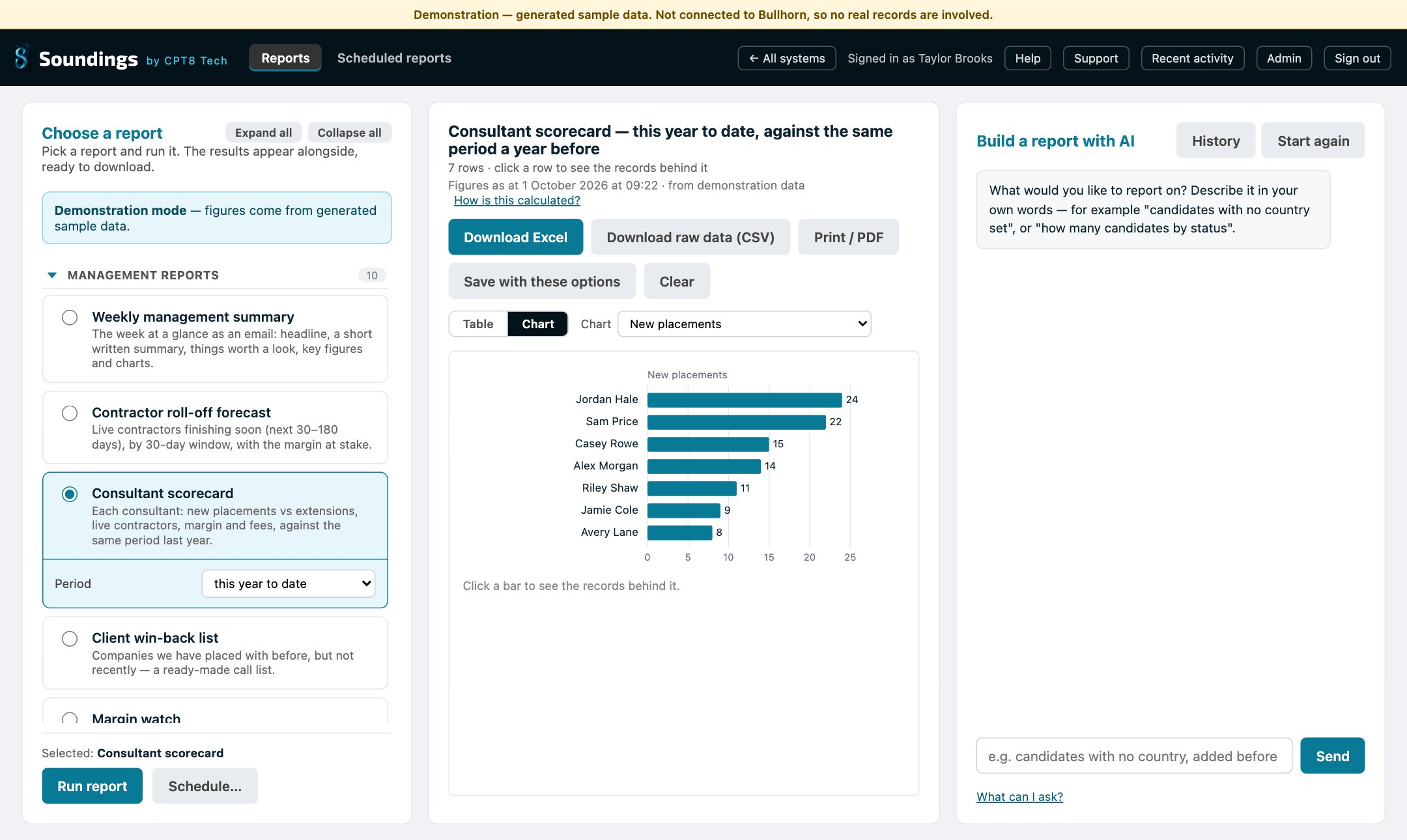
Consultant scorecard
New placements against extensions, live contractors, margin and fees for each consultant, compared with the same period last year.
Contractor roll-off forecast
Live contractors finishing in the next 30 to 180 days, grouped into 30-day windows, with the margin at stake.
Margin watch
Live contracts earning under your target margin, lowest first. These are the deals to look at before they extend.
Pipeline funnel
Submissions to CVs sent, interviews, offers and placements, with the conversion rate at each step.
Time to fill
How long new requirements take to reach a first interview, a placement and a start date.
Client concentration
How much of the business rests on your biggest clients: each client's share and the running total.
Repeat business
Placements with existing clients against clients won for the first time, by month, quarter or year.
Client win-back list
Companies you've placed with before, but not recently. It's a ready-made call list.
Extension rate
How often placements get extended and how long contractors stay, by client and by consultant.
AI report builder
Ask for a report the way you'd ask a colleague.
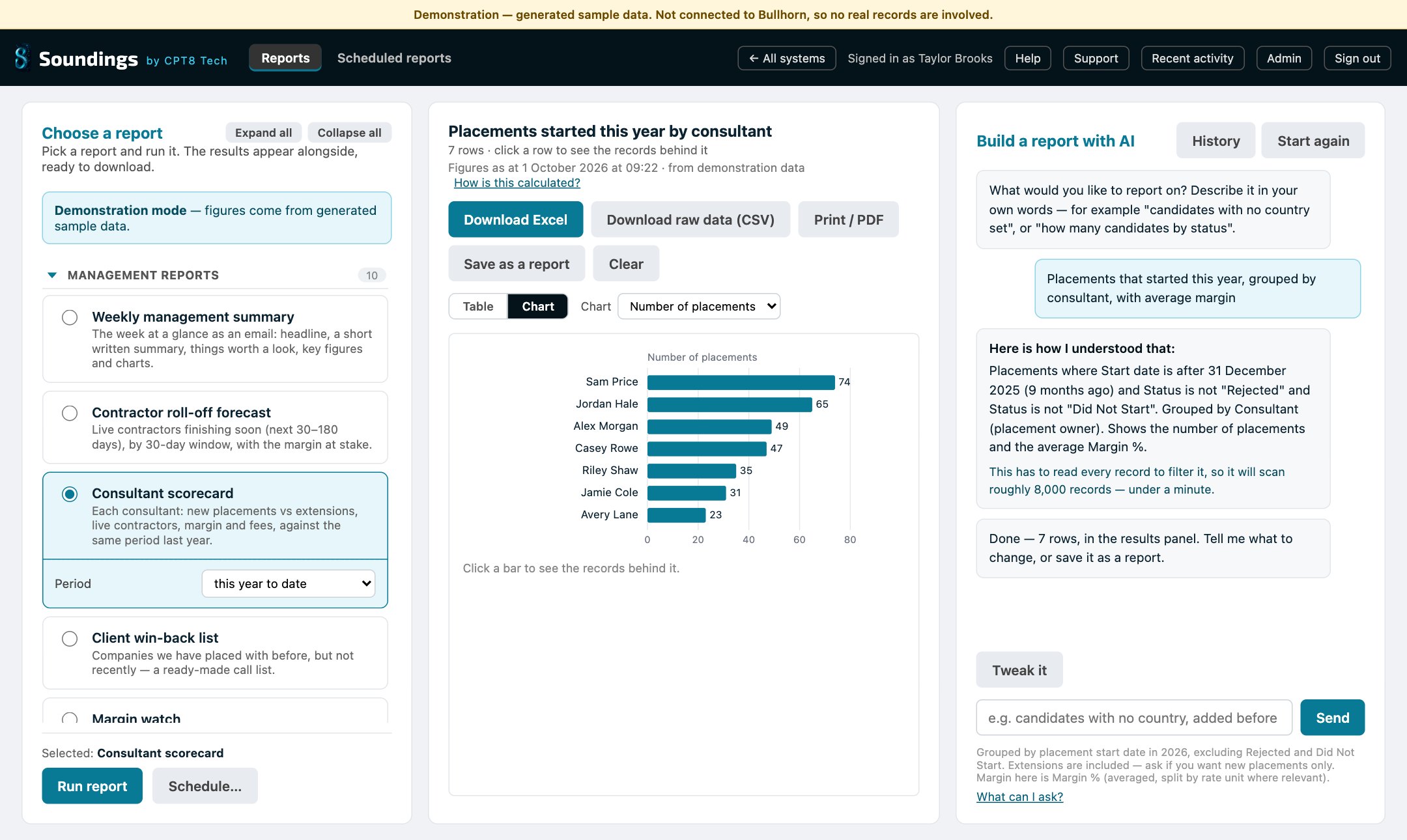
Type "placements this year by consultant, with average margin" and Soundings builds the report. Before anything runs, it tells you in plain English how it understood the request.
- Builds totals, averages, groupings and date ranges ("last quarter" means last quarter).
- Asks a question when your request is ambiguous, rather than guessing.
- Save the result as a report: keep it private, file it in a folder, or share it with the team.
How the AI stays in its lane
It writes the question. It never sees the answers.
Most AI reporting tools send your data to a language model. Soundings doesn't, and that's by design.
You describe it
You type what you want in your own words. That sentence and a list of field names are all the AI receives.
The AI writes a specification
The AI returns a structured specification, not code. Soundings checks it against your field list and rejects anything that isn't there.
Soundings runs it, read-only
Soundings fetches the records from Bullhorn itself and works out every figure. It's ordinary, checkable arithmetic.
No candidate, client or placement record is ever sent to the AI. When it writes the Monday summary, it's given the totals only, and it's told never to invent a number, a name or a reason.
Delivered, not fetched
The Monday email writes itself.
Schedule any report, or the weekly management summary, to arrive in your directors' inboxes. Choose the day and time, with the spreadsheet or PDF attached.
- Download to Excel with your branding, filters and sort order kept.
- Print or save as PDF, laid out for A4.
- Click any figure to see exactly which records make it up.
Set up and priced for small agencies
Quick to start. Cheap to run. Looked after.
No implementation project and no per-user licences. One price per agency, so hiring your next consultant doesn't put up your reporting bill.
We set it up
A small, fixed setup fee. We install Soundings in your Microsoft cloud, connect it to Bullhorn read-only, and map your own fields.
You use it from day one
The ten ready-made reports answer the common questions straight away. Your team signs in with the Bullhorn login they already have.
We look after it
A monthly fee per agency covers updates, monitoring and help when you need it. Running costs on your Microsoft bill are a few pounds a month.
Good reporting shows you where your data needs work. When it does, we can help with data health checks, cleansing, integrations and bespoke reports.
Built to pass your IT review
Security that doesn't need explaining.
Credentials stay on the server
Your Bullhorn API keys are held in Azure Key Vault. They're never in a download or on anyone's laptop.
Your own logins
People sign in with their Bullhorn username and password. Only the user types you choose can get in.
Everything is recorded
An audit log shows who ran which report and when, and what they downloaded, saved or shared.
Internal email only
Scheduled reports can only go to your own email domains, so a typo can't send candidate data outside the business.
Renewals flagged early
The admin page tracks every key and certificate expiry date and warns you before anything lapses.
Support only when you allow it
We can't get in until one of your administrators grants time-limited access. You can revoke it at any time.
See it on your own data
What would you ask your Bullhorn data?
We'll walk you through Soundings on sample data in about 20 minutes, then talk about connecting it to yours and what it would cost.